MacBook

I finally got my MacBook and I have to say she is beautiful!  She is also mind-blowing.  The moment I saw the box, I knew this would be a different experience.  So I got her home, opened her up, and I must say, I was in awe.  The MacBook looks small and sleek, yet the screen size isn’t much different than my 13″ MacBook Pro.  It is crazy how light and thin it is.  I’ve had iPad cases that I think have weighed more.  I got her all set up and thanks to the beauty of iCloud, everything is here and connected within moments.

I have a MacBook Pro from mid-2010 that works great, so why would I get a new laptop?  Well, I will be traveling more and I will need a laptop, so two pounds instead of five is rather appealing.  My son has hit the point in school where he will need a laptop, so the timing was right, and did I mention, the MacBook is beautiful.

Now I have an iPad too, so why do I need a computer at all to travel.  Sometimes I just need a computer, not often, but I do.  I have times where I’m using my computer and iPad at the same time, so it is great to have two items that will be easy to transport.

If you read any of the Apple magazines, the MacBook has gotten good reviews.  The one area that has been questionable is the keyboard.  The keyboard is a different experience.  I type about 80-90wpm, so I certainly notice the difference in feel.  I wouldn’t say I dislike it though, it is just different.  The track pad is larger, which is fine.  I still love a mouse, but the trackpad works great when I want to keep it simple.  The speed is great; though this computer won’t be used for games or even photo editing.

All in all, I am rather impressed.  I look forward to taking her on her first road trip to really try her out.

Traveling with Toys

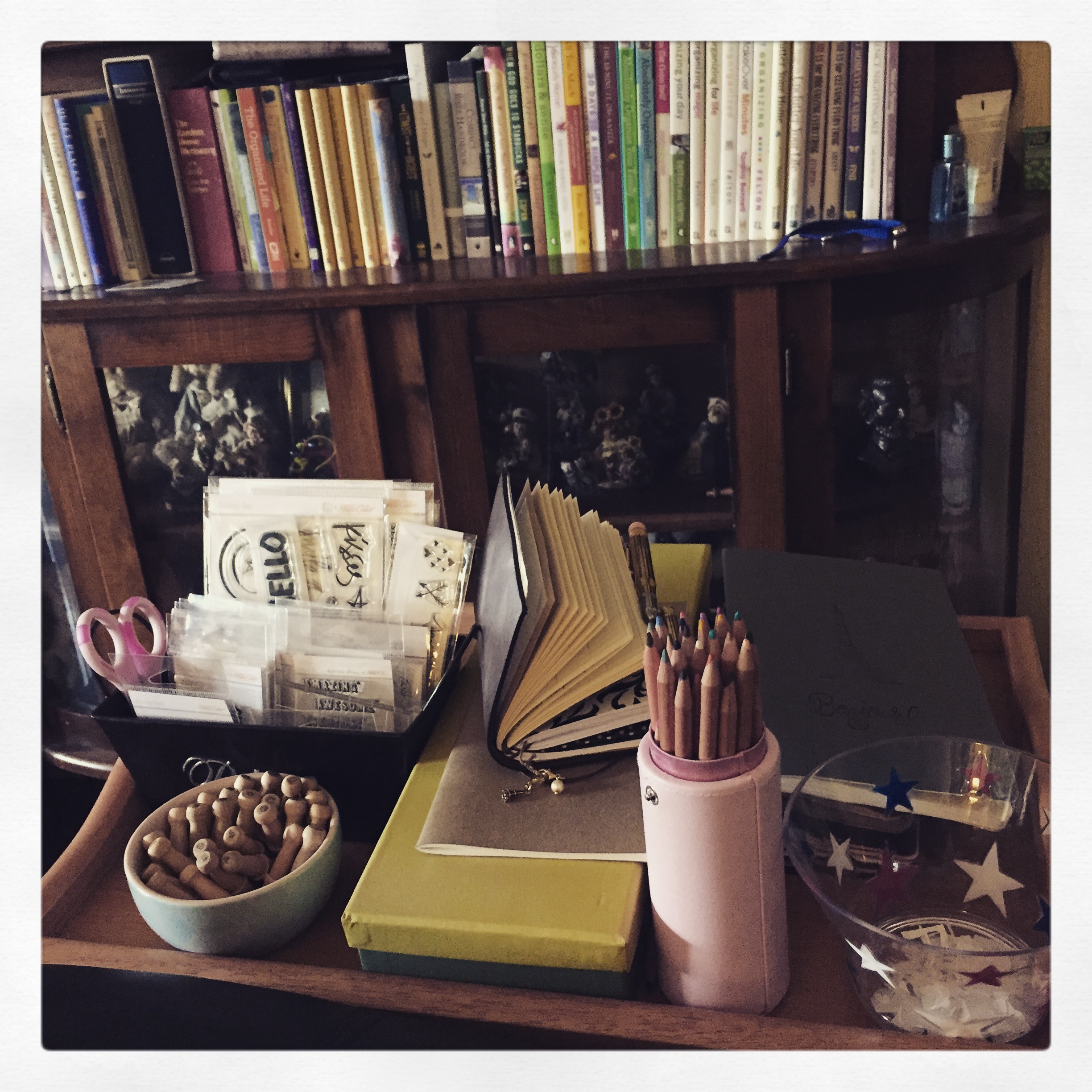
Whether I’m spending the evening in the living room with the boys, hanging out at Starbucks, or going on vacation, I needed a method to travel with my toys that was small, useful, and easy.  I’ve searched on Google, YouTube, Facebook, and Pinterest for ideas.  Fortunately more ideas to organize on-the-go supplies are starting to appear.  So I used the ideas that I found and thought about what is it I really want if I’m not in the pink room.  With that, I was able to create what I believe will be the perfect system for me.

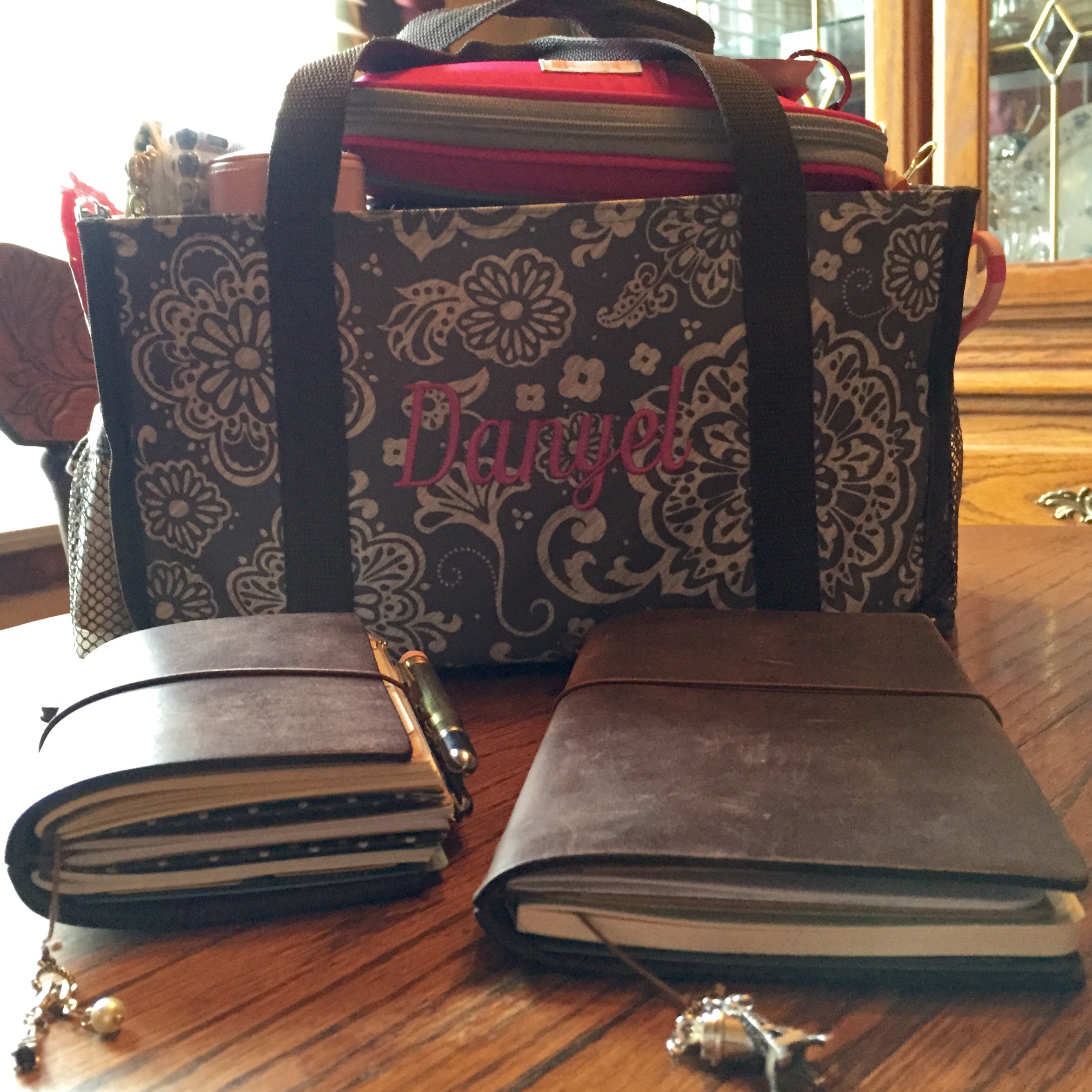
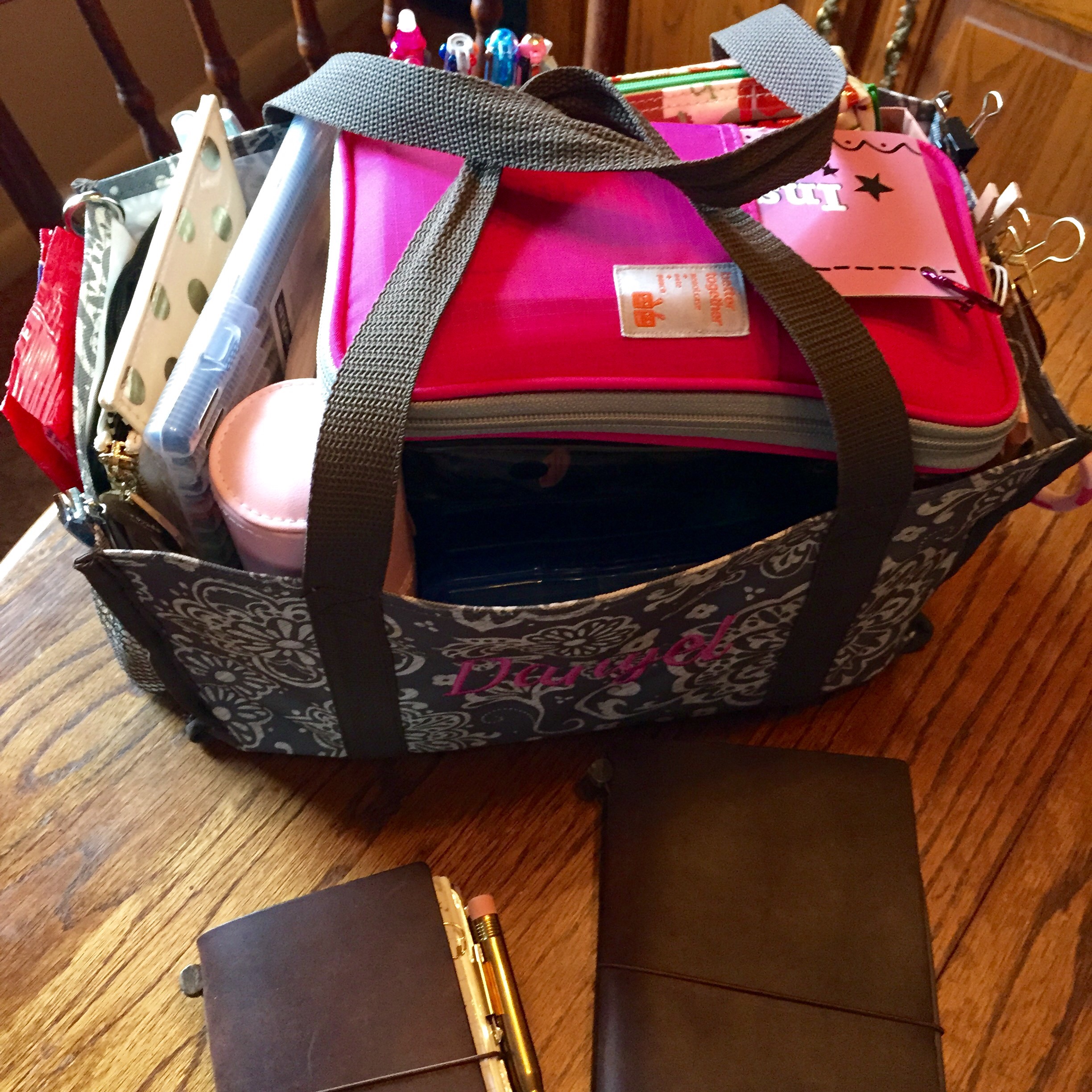
I was using a toiletry organizer but it was hard to get items in and out, and for the size, not very useful.  I thought about one of my Longaberger market basket, but they currently serve a different purpose.  I was using a Thirty-one Keep it All tote for baseball games, but it wasn’t really necessary.  So I decided to repurpose it as my toy tote.

 I’ve only used this method for a month, but I’ve used it daily since I put it together.  I’ve used it to do Bible Journaling, Project Life, and Journaling.  Everything I need is in this bag.  I have a lovely creative space at home, but I don’t always create at home, so now I have a portable option.

Keep it All Tote from ThirtyOne

Top view of bag with all contents in place


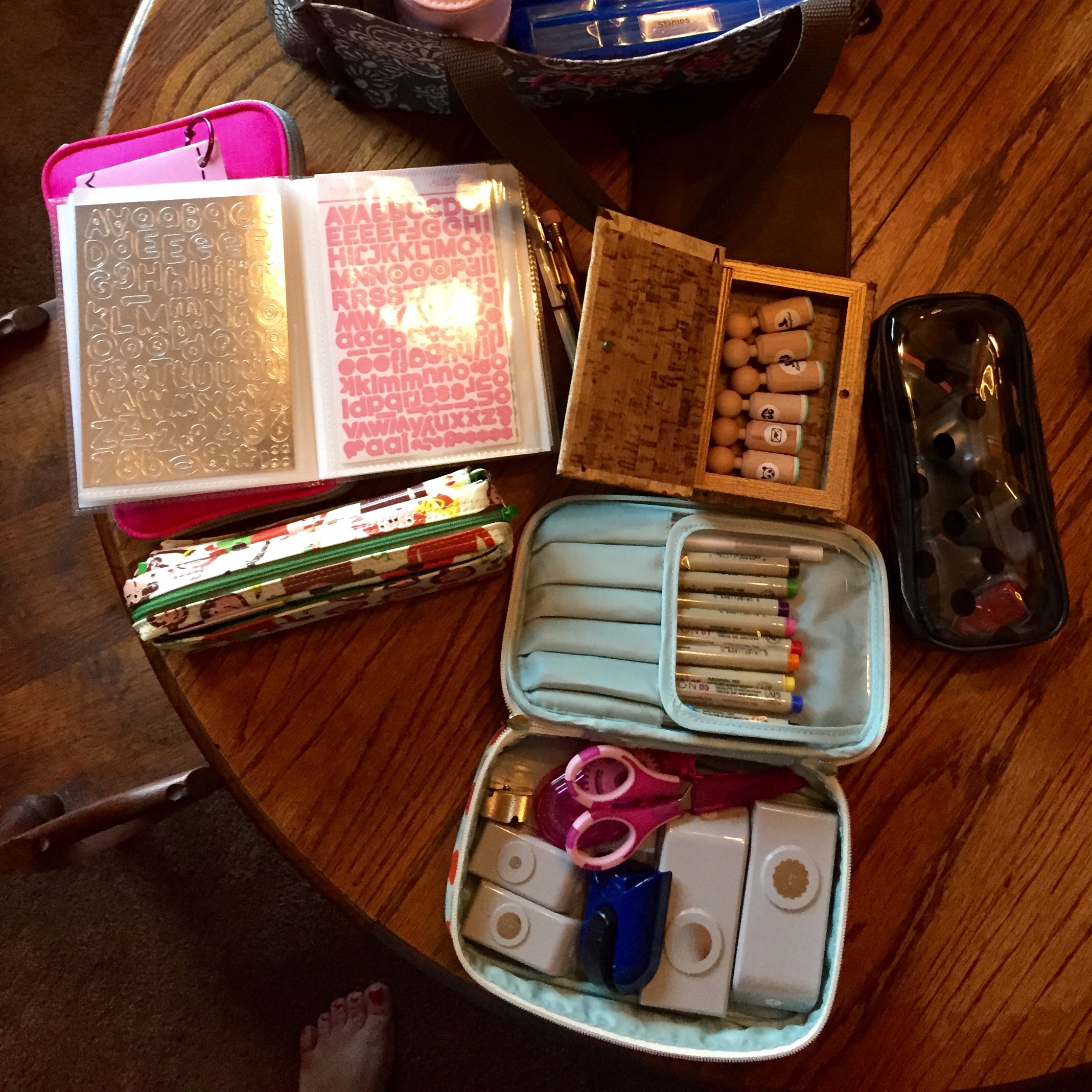
View of various cases and boxes in my bag. I got the sticker organizer cover from TheResetGirlShop.com The tool case is a Contents cosmetic case from Target. The black polkadot case for chalk inks and the wooden box are from Hobby Lobby. My monkey pencil case is from a book store in Maryland. My MochiThings Note pouch is a must. If I have nothing else, I will still be in good shape to play.


Mochi Things, Hobby Lobby, The Reset Girl Shop, Michaels, and Target

This is how it looks inside my bag with all the various cases and boxes.

Lots of changes

My life and my home has changed so much since I last wrote. Mom was diagnosed with stage IV lung cancer, and due to inadequate health care locally, Mom had her treatment here with me. Since Mom and Dad were going to be spending a lot of time at my house, I had to make changes, and quickly. Now I’ve wanted to do these changes for a long time, and this was the incentive needed.

I cleaned my bonus room of clutter, rid many unused items from my life, and down-sized my belongings. This allowed me to maintain control of my house while cherishing every moment with my parents when they were here.

The biggest change, the office. We gave up the guest room to an office when my son gave up his toddler bed for a big boy bed. My parents still had a place to sleep, but it was no longer a room they could call their own. This has worked well for many years, but as Curtis has gotten older, it has become harder for him getting kicked out of his room.

So the major change in my house, I turned the office into a guest room with an office space. We’ve decided to call it the “pink” room since Curtis and I argue if it is a guest room or office. I already made another office space in our bedroom, so Jeremy had a place to work.

So the work began. I took down Jeremy’s desk (great reason to have folding tables as desks) and consolidated my cubes. I moved Curtis’ bed into the guest room and got him a new bed. He loves the extra floor space, and I love the pink room.

The pink room is my happy place. I love my kitchen. I love my bedroom. The pink room makes me happy. This room describes me. I have what I love in this room–a place for my parents, and a place to work on journaling, Project Life, or any other activities that when I need alone time.

Sadly, I lost my mom January 4th. I love the pink room even more because of the wonderful memories I made there with my mom. Mom and I would go into the pink room and watch “girlie” TV and talk while the boys watched “boy” TV. I am so fortunate to have a place that allowed me to share this time with Mom. Isn’t that what a home is for, a place to foster beautiful memories that we carry with us always?

Planner of my choosing

I used a classic size Franklin Covey binder for years.  I used monthly pages and kept other info in the back.  Then came the Palm Pilot and I thought it was the coolest thing.  I quickly entered all my data then beamed it to my husband. One little problem, with technology, especially new technology, it crashed and I was in BIG trouble.  So back to my Franklin Covey I went and I’ve never solely depended on an electronic method again.  Then came the Vera Bradley agenda.  It was the same size as my Franklin Covey in beautiful Vera Bradley binders.  It had monthly and weekly pages.  I kept one binder and every year I would add my monthly pages.  I would then take this binder when I would scrapbook so I could remember what I did when.  Then I saw the Erin Condren Life Planner and I was in love, or at least I thought I was.  For a variety of reasons, this planner didn’t match my personality.  I ordered a new one for this year, which I haven’t used at all.  An expensive bundle of regret to not use.  It did come with cute custom stickers, which I am using in my new planner.

I’ve talked about my new planner in a previous post.  I am using a Midori Traveler’s Notebook in passport size.  A lot of people don’t like the smaller planners, but for me it is perfect.  I use a Moleskine weekly planner at work, so my work life is together.  I definitely have planner peace there.  My work and home needs are so different when planning, I keep them separate.  I only combine the two if home affects work time or work affects home time.

I used a printable from Etsy, week on 2 pages.  I like to carry my entire year with me, so this book was pretty fat.  So I made me a week on 1 page book.  I still have plenty of space to write down activities.  I also got the monthly calendar from KiddyQualia on Etsy.  If I could only have one calender, this is the one I would need.  Each month has a month view, blank grid page, and a date list page.  This method meets all the ways I think.  I think in lists and tables, and this allows me to have both.  The grid page I use for monthly tasks.  Now things I do daily or weekly, I don’t write them down.  I only write down tasks out of my normal routine.  I also have another notebook in my Midori that I use for lists and thoughts.  Since it is small, I carry it with me always.  Since I’ve decorated it, I look at it daily.  Since it is beautiful, it is with me always, even on my nightstand at night.  Planner peace occurs when you find a method you will use.  My binders and Life Planner were so big, I left them at home.  I don’t fully trust technology, so it isn’t the best method for me.  This is the first method I’ve found in years that meets all my requirements for a planner, and I’m using it.

My new obsession

I have found a new obsession, the Midori Traveler’s Notebook.  I’ve debated for over a year about this product until I finally gave in two months ago.  It has been two months, and I’m in love.  I’m in love to the point I moved my planning from my Erin Condren Life Planner to the Midori Passport.  I love my Erin Condren, but to carry it with me, I had to carry a special bag or purse.  I don’t follow the current trend of big purses, so to have a planner in my purse that I use is perfect.  I use my Midori to plan and keep lists and it is wonderful.  What do I love about the Midori? It is gorgeous.  It looks old and loved and the leather feels and smells wonderful.  I have two thin books and one fat book in my passport.  A kraft folder is the only other insert I use.  My passport is fat and the inserts sit outside the cover a little.  I am a perfectionist, yet this imperfection doesn’t bother me.

I carry my Midori with me everywhere, in and outside the house.  I can’t wait to take it to the Smoky Mountains at the end of the month.  This little gem has kept me entertained for hours by planning, doodling, drawing, journaling, and list making.  If you are debating about a Midori or a Midori style notebook, I strongly encourage you to make the leap.  I love the original Midori and it is my preference.  Before you invest in the notebook, know your purpose and personality.  A fauxdori may be a better option for you than a Midori.  If you do the research and listen to your heart and not outside opinion, you will find the right notebook for you.  Pinterest and Etsy will lead you to additional resources on the Midori.  If you search Midori Traveler’s Notebook in YouTube, you will find a lot of wonderful information.  One of the videos, Midori 101 will give you the basics.

I can even work in my room

I can even work in my room

My set up for my Midori

My set up for my Midori

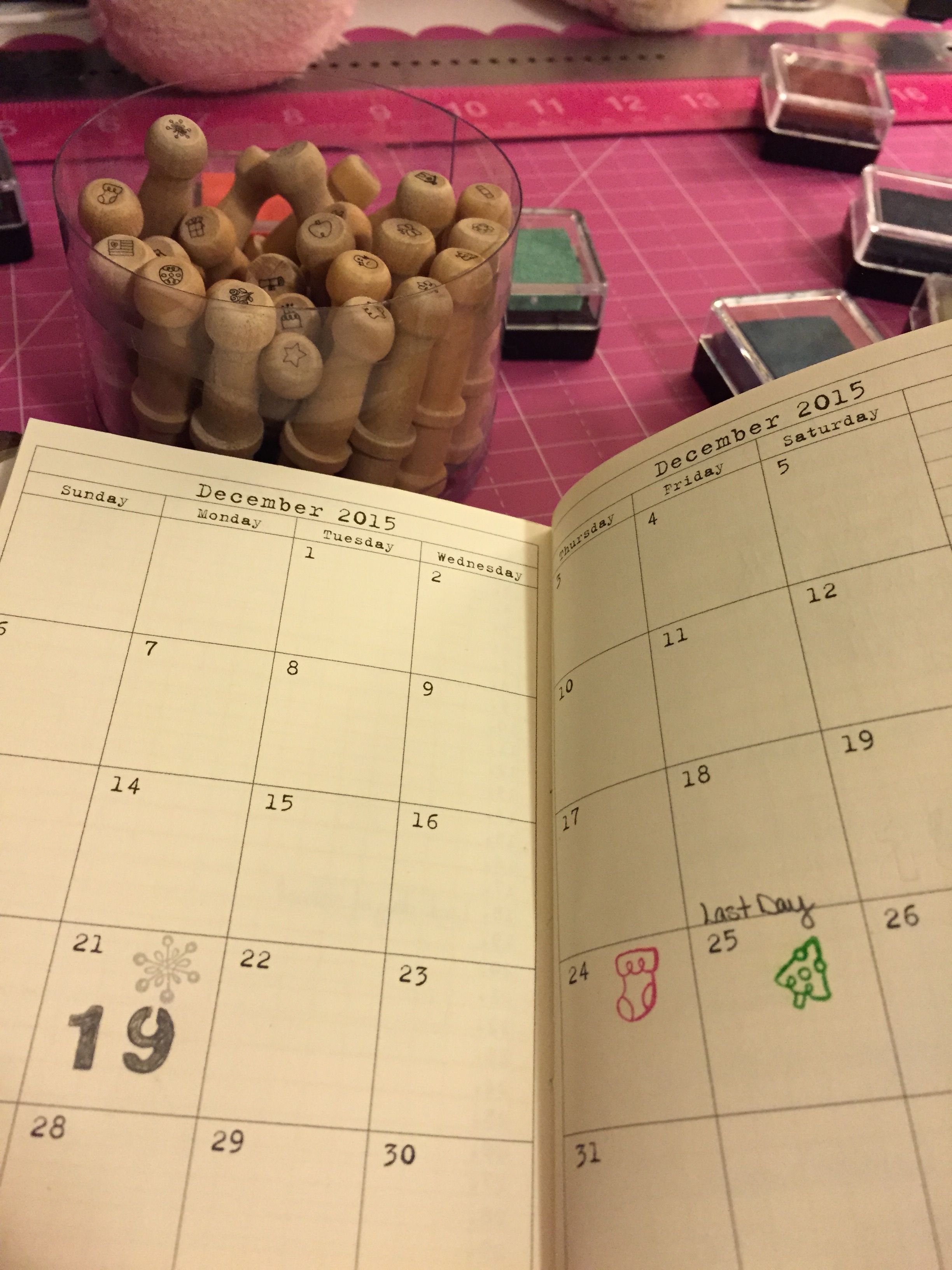
Calendar

Simple calendar decorations

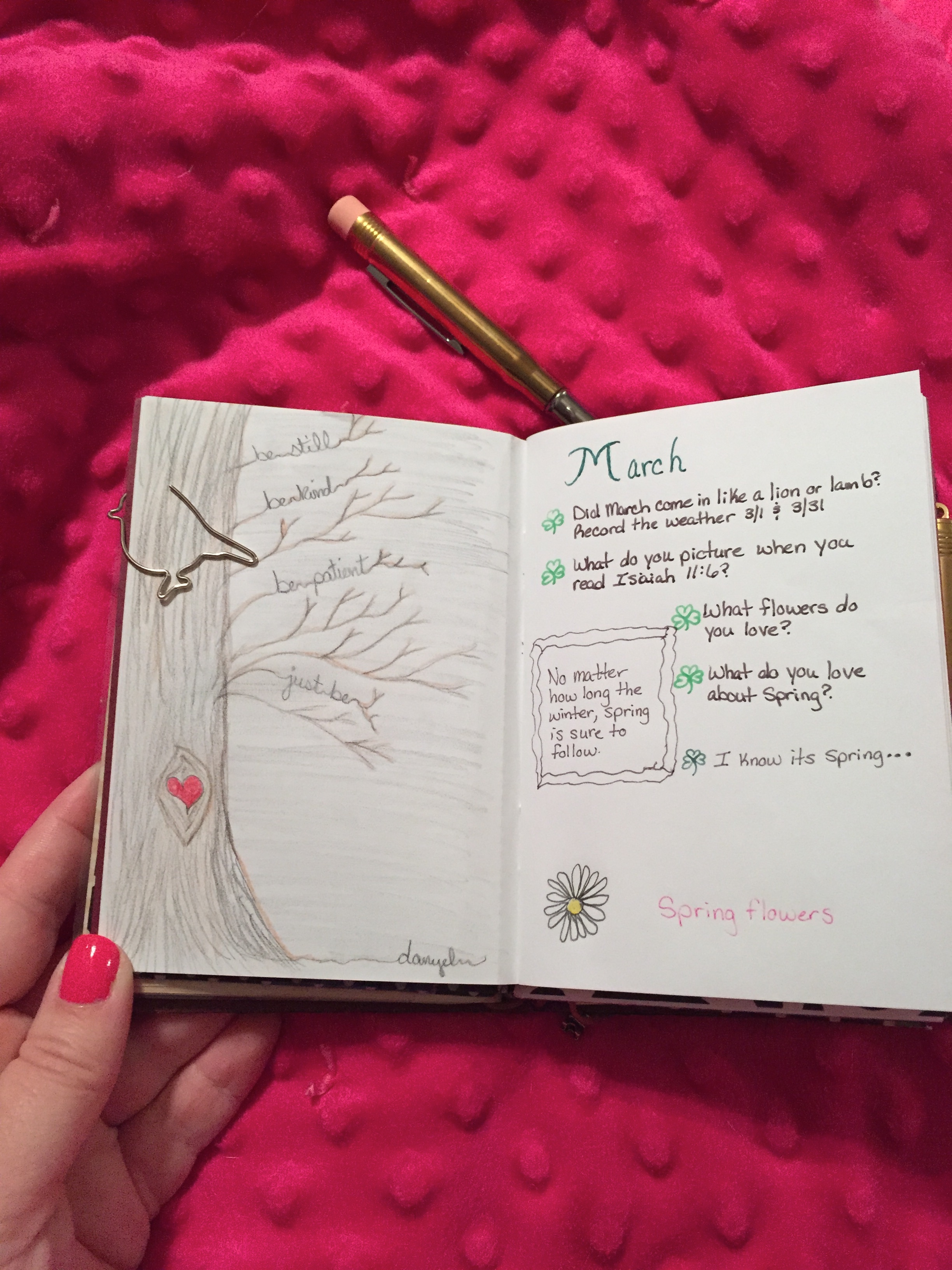
The sketch on the left was inspired by a post on Pinterest.

The sketch on the left was inspired by a post on Pinterest.

On the go

I have a beautiful space at home to scrapbook, journal, and do my Bible Study.

Every now and then, it is good to get away from home to create. Or maybe it is just killing an hour while Curtis is at the batting cages. Sometimes when we go on vacation or I go to my Dad’s I want to create. Unfortunately I’ve fallen into the trap of most scrapbookers and I have TOO MUCH STUFF! So, clearly I can’t take everything with me on the go. Depending on what I want to do and how long it will take will depend on which tool I take with me.

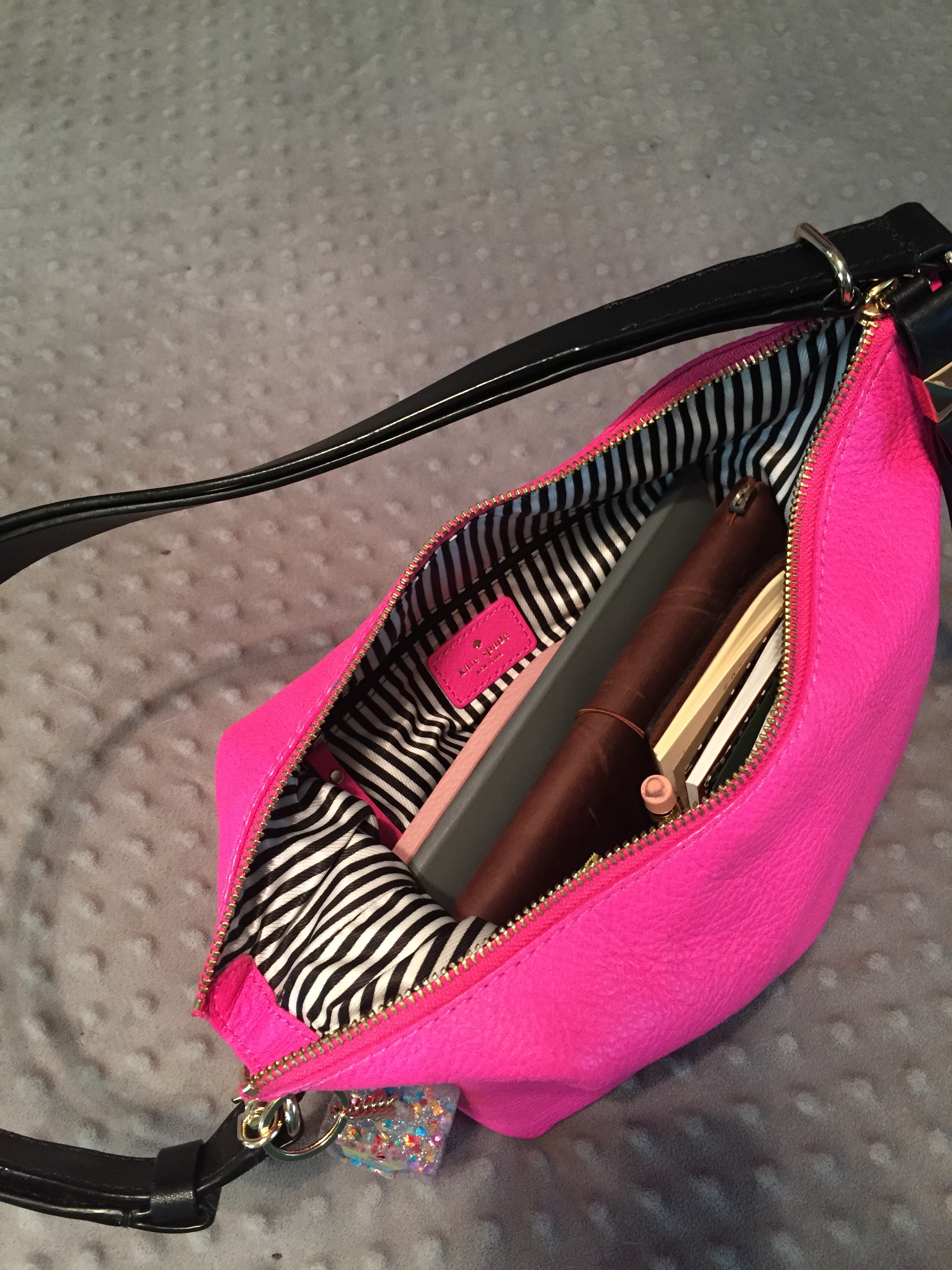
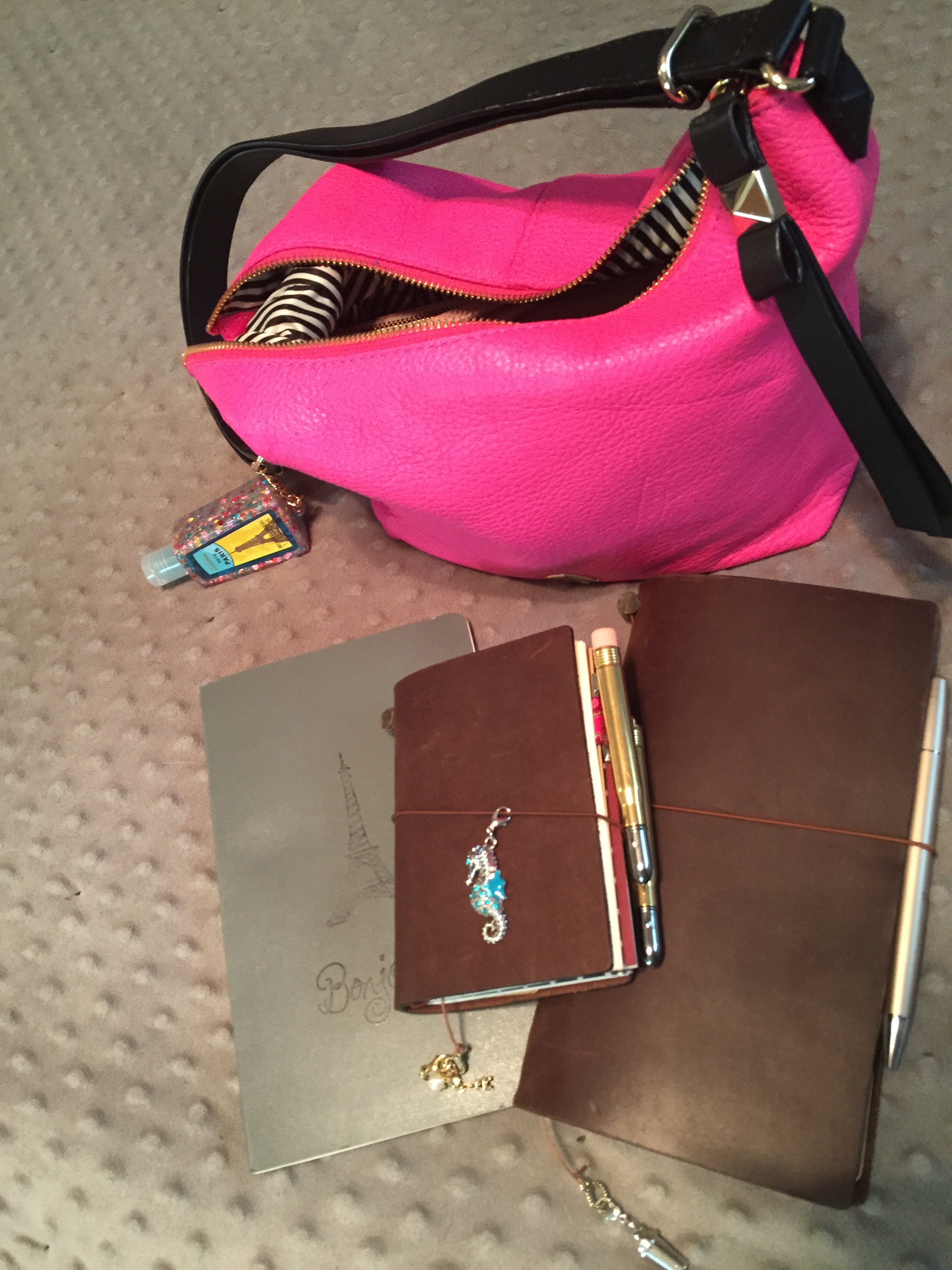
I rarely, if ever, carry a large purse. In my purse I can fit my Moleskine Volant that I use to plan my weeks at home, my Midori Passport that I use as a commonplace book and a book of lists, plus it has a calendar at a glance, and my Midori that I use for Project Life planning. Even if I don’t gather any other tools or bags, I’m set for hours.

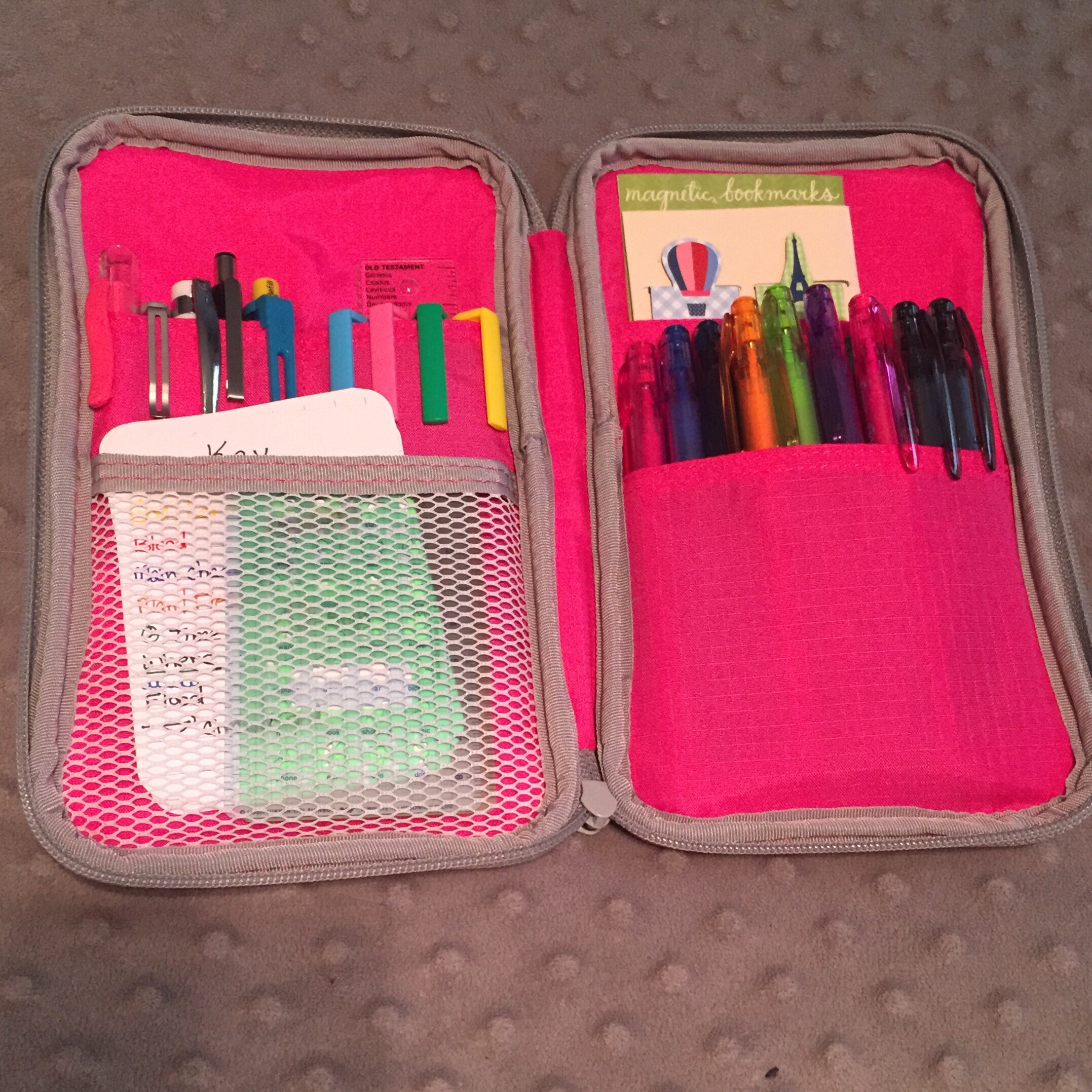
If I have a little more time and I want to do a little more, I will take my MochiThings case with me.  This thing is WONDERFUL!!  I keep a huge rainbow of Pilot Frixion Point in 0.5 and 0.4, my Pentel pencil with 8 colors, my Zebra mechanical pencil, a ruler, a stylus, by Hobinichi Techo stencils, and the key for my bullet journal.

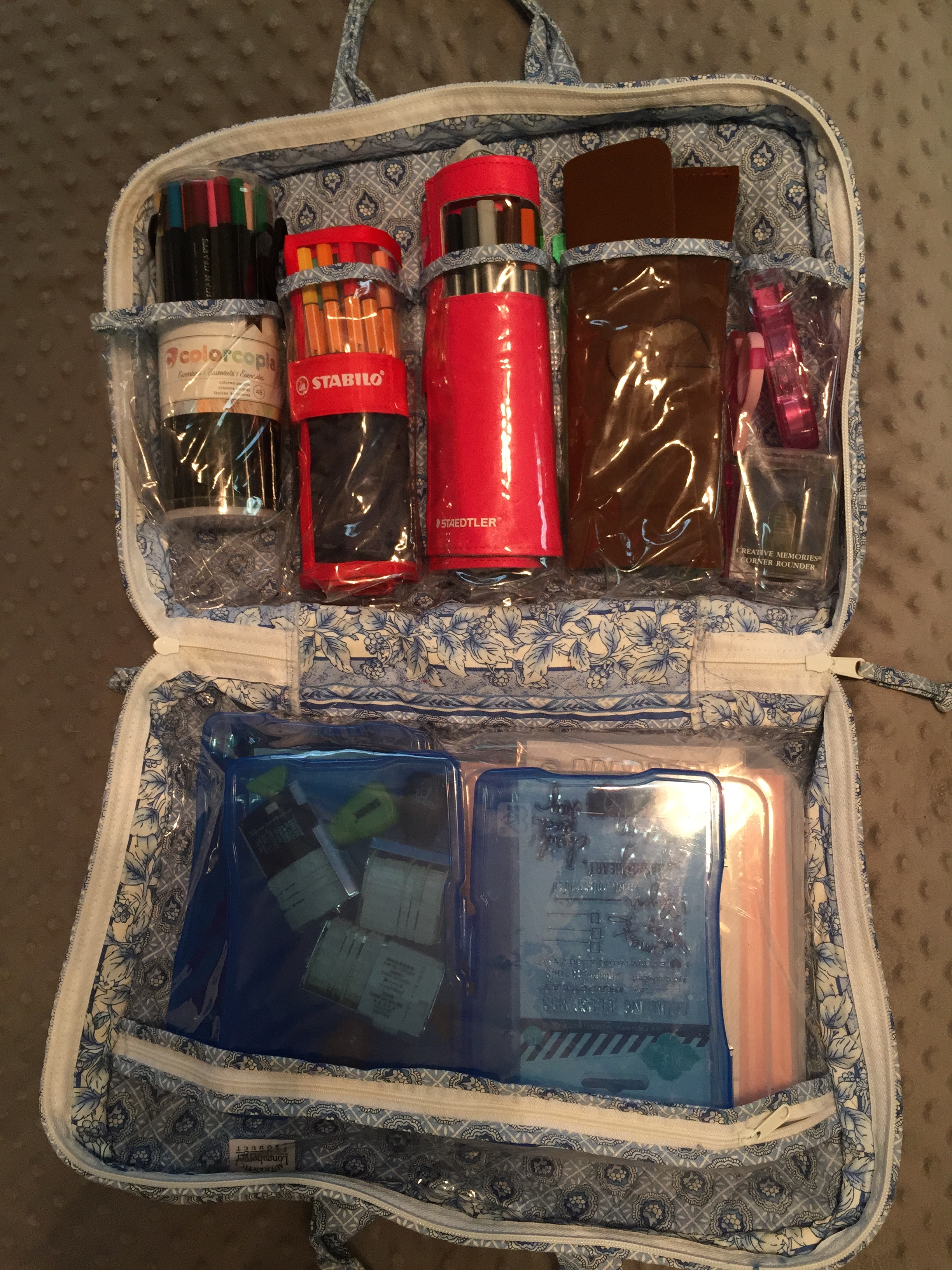
If I’m wanting to do serious work, I take my makeup case full of colored pencils, pens, markers, stamps, and supplies.

This is the Leroy Street Vivienne, which isn't a large purse.

This is the Leroy Street Vivienne, which isn’t a large purse.

Moleskine, MTN Passport, MTN

MochiThings Pouch

MochiThings Pouch

On the Go supplies

On the Go supplies

Quick and simple

This post will be short and without pictures. It is a quick post about my current idea that will lead to my future posts. Stay tuned!

I love paper and I love technology. What is a conflicted girl to do? Part takes up so much space, and I hate clutter. Technology is efficient and space-saving, but I can’t pass it on to Curtis. So, I use both, some times in duplication, and sometimes very differently.

Planning 2015

I’ve accomplished a lot in the last three months that I will write about in the future. I’m going to be a little out-of-order, because I’m going to write about what I will be doing different in 2015. I don’t usually do New Year’s Resolutions, and I won’t this year either. However, my goals are constant, continue working on my relationship with God, my relationship with my family, record my family’s memories, and improve my mental and physical health. Nearly everything I do is because of one of these areas.

I have a Pinterest board called Calendar Pages and Planning. This is where I keep all my ideas to improve my use of my planner. While looking at ideas, I discovered bullet journaling (see bulletjournal.com). What I realized about this system is this is what I do at work already to organize my work life, and it works.

I’ve been a lung transplant coordinator for 14 years. I’ve spent 13 years trying to figure out how to remember to do all that I need to do. I can’t begin to think of the number of methods I tried, both paper and digital. A system only works though if you use it. All of the other systems I felt I spent more time doing the system than the work.

image

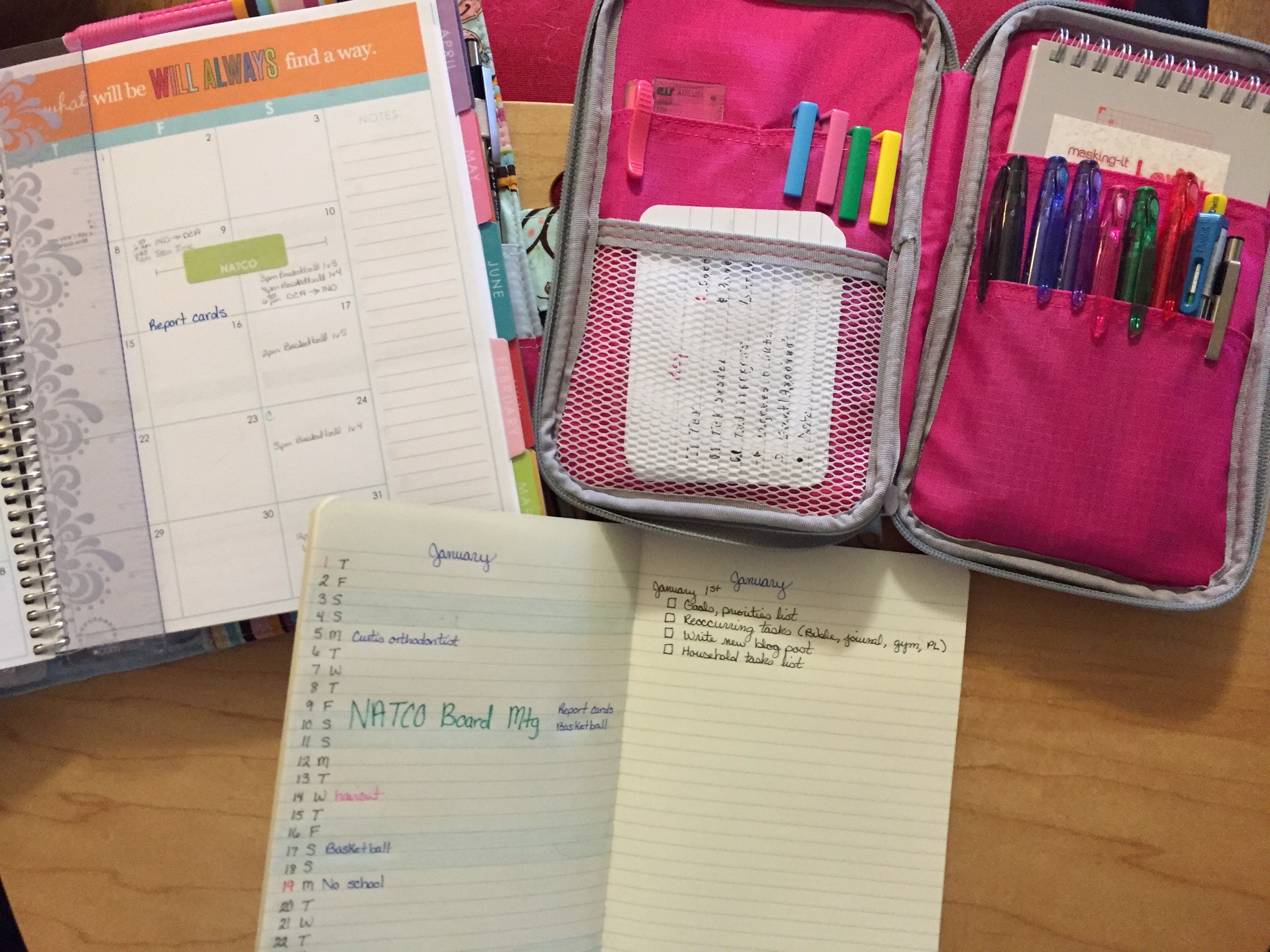
Erin Condren Life Planner, Mochi Things Notes case, Moleskine large ruled journal (soft cover)

For 2014, I tried something new, and it works! I bought a Moleskin weekly planner with the week calendar on the left and a blank notes page on the right. For the days I wrote down the tests that I needed to obtain results for each patient. The notes page is where I recorded all my patient calls. At the top of the notes page I would write down anything that would need done at that time (i.e. schedule labs in 3 weeks). After reviewing the bullet journal method, I realized this is what I was doing at work, and it works. Why does it work, it is easy, flexible, and portable.

So I decided to incorporate this method with my Erin Condren planner. I bought a separate Moleskine ruled journal to use as my personal bullet journal. My main goal for this journal is a dedicated space to dump my thoughts. I have a lot of random thoughts at inopportune times. I have sticky notes, electronic notes, and notes pages of thoughts that occurred that I actually wrote down. I don’t write down all my thoughts because I didn’t have a method to organize them. That is where the bullet journal index became an “ah ha” moment for me. So I’ve created my journal for next year and it is ready to go.

As I said, I don’t want to stop using my Erin Condren planner because this is an important tool when I work on my Project Life pages. The bullet journal I hope will allow me to record all my thoughts and To Dos so I can be more effective. I will give my review after I’ve used it awhile. I will also discuss the changes I made for me, which is the real beauty of this system.

Plugging along

September and October have been exceptionally busy months for me. I had a day trip to Chicago, but no other scheduled trips. My busyness came from appointments for my son and mother.

As much as I love technology, I still use a paper planner. I’ve used the Erin Condren Life Planner for 10 months now and I liked it well enough that I ordered a new one for next year. I love the monthly calendar. This is a quick view of my life and very important when doing the call schedule at work. The week pages, those are where I record daily life and To Do’s. I tend to do batching when I work on my Project Life albums, so this is where the planner is particularly helpful. I had been using Oh Life!, but unfortunately as of this month, this service is no longer available. I’ve started using the Day One app, but it hasn’t become a habit yet. That is where my planner has become important. My planner is a habit.

I am typically an organized person, at least that is what people say. I would say I am a neat person that requires things to be written down to be accomplished. For example, I had a parent-teacher conference scheduled for my son. I totally blew the conference. Why? Because I had not written it in my planner. If I don’t write it down, it doesn’t exist. I always had a good memory and a planner was a cute tool to doodle in when I was bored. Now that I have more responsibilities in various aspects of my life, it is essential.

I am grateful that I’ve developed the habit of using a planner. I developed this habit when I was in high school and I’ve used it since. I tried getting rid of the paper and going solely digital, but that just didn’t work for me. I found that I was printing my schedule off so I could see it, and that defeated the purpose of a digital calendar.

This month, Studio Calico has offered a class by Marcy Penner called “Agenda” The class was good and I learned a couple of tips. Though not as earth shattering for me, I would recommend this for people that need to organize their schedule, but they do not have a system. The hardest part of organizing, finding the system that works. This is true if you are organizing appointments, notes, or toys.

iPhone 6 Review

It might seem weird to write a tech review on a blog that talks about work, home life, organization, and Project Life. Considering I use my phone in all aspects of my life, it seems weird to me not to do a review.

History
I anxiously awaited the Keynote announcement September 9th, the announcement of the new iPhones. I was particularly anxious for this announcement because I was due for a new phone. So I watched the announcement the best I could due to the overwhelming demand to see the live stream of the event. Both new iPhones were presented, the iPhone 6 and iPhone 6 Plus. I was in love from the beginning, but I had a difficult decision to make, which one.

So before I share my decision, I will give you a little bit of my technology background. In college I borrowed computers from friends or I went to the computer lab. When I didn’t know how to do something, I would call Jeremy. Well, sometime in the last 15+ years, I learned a lot more about technology. I do not know how to program, and I don’t care about the insides of a product, beyond what does it mean to me, the user. I am quite tech savy now and my “toys” allow me to have fun while staying organized. Now, a smartphone for life organization is only a good system if you use it. This isn’t any different than any system you may choose.

I knew I wanted to 128GB gold, I just didn’t know which size. I decided on the iPhone 6 Plus. I was nervous about this decision and I had already decided I would give it to my son in a year if I really didn’t like it. Why did I choose the Plus? I chose the Plus because of the features it offered and how I use my phone.

Whenever purchasing a device it is important to know how you will use that device. I use my phone as a hot spot, camera, music player, radio, and texting more than anything else. I have a DSLR to take pictures of sporting events or landscapes while traveling. I have an iPad mini that I used to replace my Kindle fire. I use it mainly as a e-reader and light media. I also have an iPad Air that I use for work when I’m on call, reading magazines, and as a laptop when I travel. I could have just one device, but I’m lucky that my husband is supportive of my toys.

I chose the iPhone 6 Plus because of the optical stabilization, larger screen, and battery life. I used foam core and cut out templates of both phones so I would have a realistic idea of the size. I took them to work to see if they would fit in my lab coat. I put them in my purses and wristlets. I tried them in my pants pockets. I held them in my hand to see how it would feel to use the device.

Although I was still very nervous about the size, I got up at 2:45am September 9th to preorder my phone. This was a preorder nightmare, but I was finally able to get an order confirmation at 3:45am. Well, several days later and I still didn’t have a shipping confirmation. Finally on September 16th, I got a text message stating my order was processed and my phone would be delivered in November. WHAT?!! If I ordered the phone today, I could get it in 3-4 weeks. I made many calls to AT&T and I spoke with many departments, yet no one could help me.

After I got off work on Friday, I went to my local AT&T store. Now after my horrible preorder experience, I was considering switching to Verizon, even though AT&T met my needs for work better. My local AT&T store was wonderful. After spending some time there and comparing the real life size of the phones, I cancelled my preorder for my Plus and purchased the iPhone 6.

Review
I have lived with my iPhone for the last three days and I’ve done all the activities I normally do. Even though the phone is definitely larger than my iPhone 5, it isn’t obtrusive. I love the size of the screen, I love the camera, I love the touch ID, and I love iOS8. The bands look a little weird on the back, but not a big deal since I keep a case on my phone. The screen and curves are amazing. The gold is beautiful. It is a classy gold, not that hideous, gaudy gold. It has taken three days, but I am now used to the power button on the side, and I think I like it better. Some people complain about the thinness and lightness of the phone, I love it!! I don’t want a big, bulky phone. People complain it doesn’t have a SD slot. I don’t need one, I have 128GB of memory. People complain that the camera is only 8MP. Anyone that knows anything about photos know that mega pixels are only part of the story. The lens and processor are more important. It isn’t customizable. I’m baffled by this one. I like my screen neat and orderly. I actually like the native apps. What do I need to customize? I customize my case, screen, ring tone, and placement of apps. What am I missing?

Beyond that, it is an iPhone. I’ve loved all my iPhones and I am definitely a fan of all things Apple. I am an Apple fan girl because I think they make the best hardware and software. I love that Apple continues to support their older devices when they upgrade their operating system. I like the fact I can pick up anyone’s iPhone and help them with their issue. I like the fact Apple has designed their software so well, you do not need to read the instruction manual to use their product, whether it is an iMac or iPhone.

I see people very passionate about Apple vs. Android. I am passionate about Apple (for me). For my work life and home life, Apple’s products has made life easier, because everything just works. I don’t have to program it to work, Apple’s programers did that for me. Otherwise, I don’t really care what you choose. My only request is to know what you need the device to do and use that to guide your decision. If advertising, price, or label dictates your choice, then you are at high risk to be disappointed.