I finished reading the Bible for the second time and it is life-changing event. There are still a lot of passages I don’t understand, but with each time I understand more. What I understand completely is God’s grace and unwavering love. I am going to try to host a year long Bible reading plan on Instagram and Twitter.
Monthly Archives: September 2017
Pocket Planner Freebie
It’s been awhile. A lot has changed and not much has changed. My Hobonichi Planner is still my main planner to keep my life together. However, I added a friend to the system. I use a pocket planner from Van der Speck or a passport size notebook. I like both of these because they fit in my pocket at work. I often have patients ask me when I will be out of the office, or I need to refer to some info. This little book is perfect. It keeps a monthly calendar, which is a must. I also include a weekly calendar. Many shops on etsy create amazing inserts, but the weekly just wasn’t what I needed. I also wanted one that would allow me to add graphics so my pages are pretty and don’t “require” decoration. Now I consider myself a functional planner, but I want my planner pretty. This isn’t new, I’ve been this way since high school.
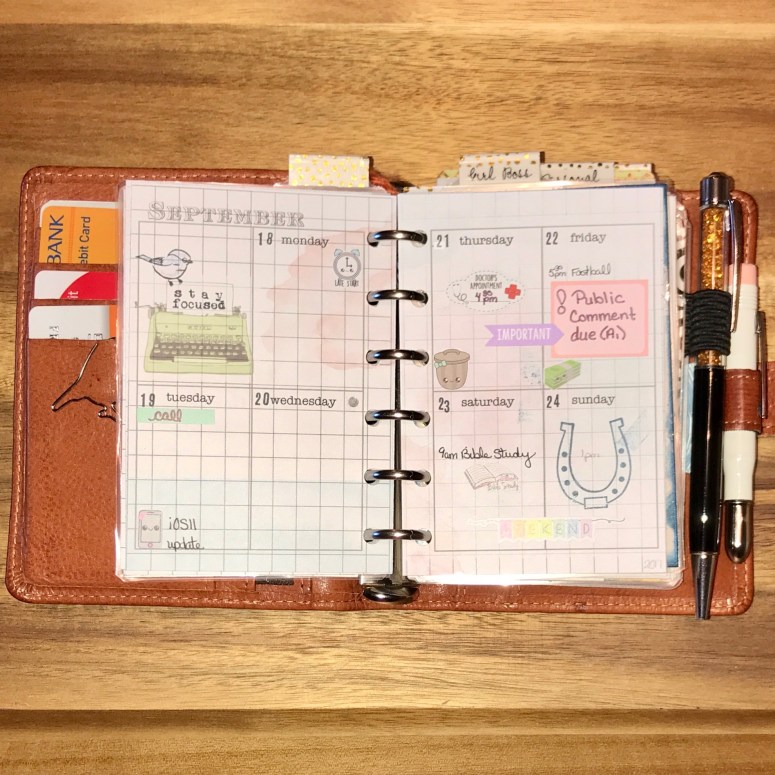
So , I made an insert that will allow me to make weekly pages that work for me and allow me to change the theme as often as I would like. So, I wanted to share them with you. This is a blank Word file. It is yours to manipulate as you see fit. I do ask that you are respectful and do not take credit for the work.
To add graphics, I place the picture on the week in the location I like. Then using the “Format Picture” function, I change the transparency until the image is the way I desire it to be. Once my images are placed, I then right click on the grid, select “Arrange”, and bring to front. This allows the picture to be in the background, but visible.
Enjoy!
 My organized life